
A1 ADIBOT
Autonomous UV-C.
Less hands-on operation.
A fully autonomous UV-C disinfection robot for healthcare and GMP cleanrooms. The A1 follows your room program: established disinfection points and exposure times, executed without repeated manual repositioning.
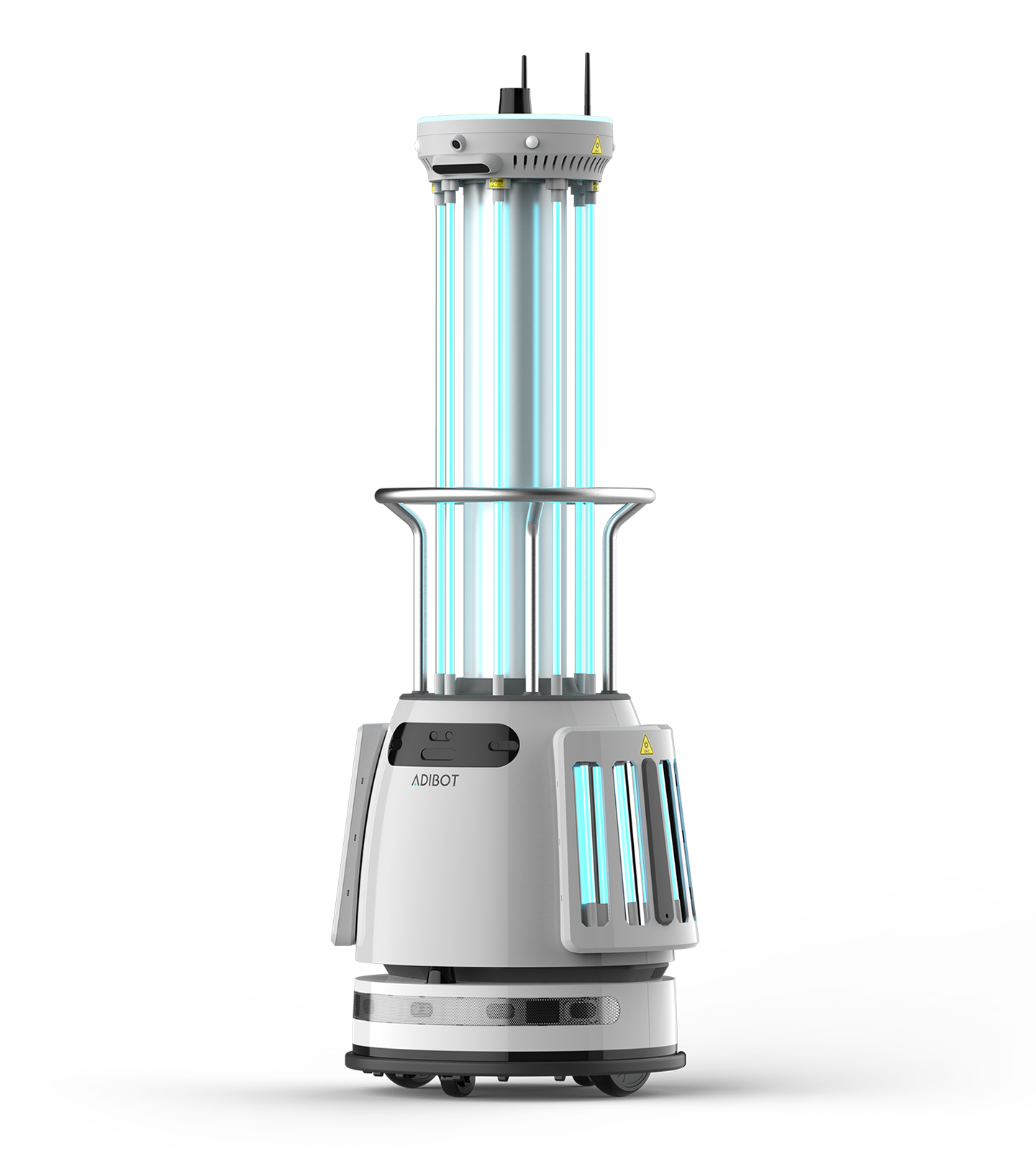
Upper and lower UV-C lamps
UV-C wavelength
Rooms disinfected per charge
Average runtime; varies with use
See the A1 move
through clinical environments.
Consistency is part of
effective disinfection.
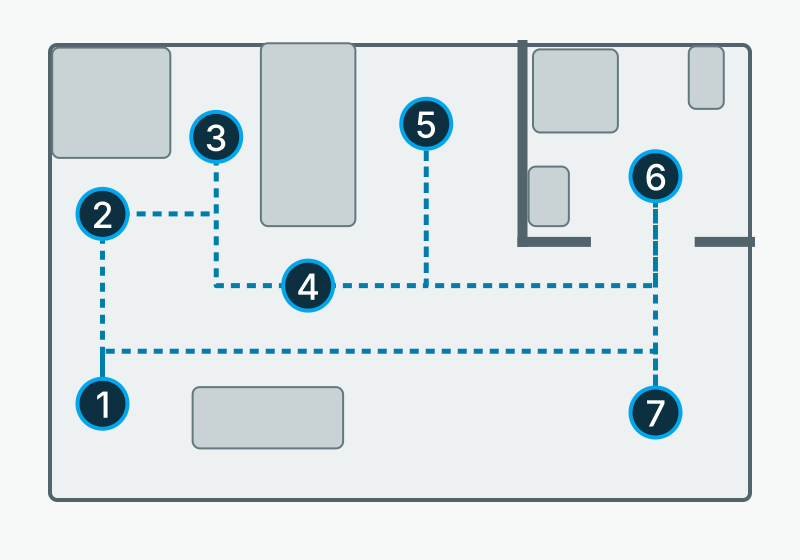
Operating-room furnishings create obstacles. The robot follows the same route and programmed exposure at each stop on Day 1, Day 2 and Day 3. Cyan light illustrates proximity and line of sight; it is not a measured dose map. The robot and room are schematic.
Where the UV-C source is placed, how many disinfection points are used, and how long each exposure lasts all shape how UV-C reaches surfaces throughout a room.
With a manually repositioned device, the hygiene and disinfection team must reproduce that sequence each time. The A1 carries out the room’s established program autonomously — moving between disinfection points and delivering the programmed exposure at each one.
The A1 cuts repeated handling, so teams no longer recreate each placement and restart. Autonomy supports repeatable execution as well as less hands-on operation.
“The A1 eliminates the possibility of user error or improper setup. You don’t have to wonder whether the device was positioned correctly or run long enough — everything is preset. Once staff hit start, the process takes care of itself.”
Laboratory-tested
performance.
A third-party laboratory evaluated the A1 ADIBOT against seven microorganisms on stainless-steel test surfaces at multiple locations, including horizontal and vertical surfaces, in a furnished, approximately 23 m² (250 ft²) mock patient room.
The A1 completed a fully autonomous cycle lasting under 10 minutes. The robot moved through the room on its own and repositioned between treatment points, without manual intervention during the cycle.
Reductions exceeded 3 log for C. difficile spores and 4 log for MRSA at every tested location: >99.9% and >99.99% reduction, respectively.
Request laboratory reportsOur team will contact you to discuss the findings and provide the reports.
| Microorganism | Average log reduction |
|---|---|
| C. difficile spores | 3.45 |
| K. pneumoniae | >4.39 |
| P. aeruginosa | >4.39 |
| E. faecalis | >4.73 |
| MRSA | >4.65 |
| A. baumannii | >6.11 |
| E. coli | >6.13 |
Averages calculated from laboratory-reported results at three test locations. Individual results varied by location. “>” indicates a lower bound. Findings apply to the stated test conditions and do not measure patient infection outcomes.
Engineered with precision.
Designed for critical spaces.
Disinfect with confidence
Sixteen shatterproof lamps, each rated for 16,000 hours, deliver 360° top-to-bottom 254 nm UV-C coverage.
Never get stuck
Crosses thresholds up to 1.3 cm (0.5 in) and fits through 71 cm (28 in) openings.
Maneuver with ease
Push handles make it easy to move, with a balanced design that prevents tipping.
Keep everyone safe
Motion sensors and a smart safety sign both pause disinfection when either is triggered. Additionally, audio alerts and LED status indicators keep operators informed of the A1’s status throughout each task.
Trace every task
Generate reports on demand and receive monthly usage reports by email so operations and oversight teams can stay informed of all disinfection activity.
Three modes.
One robot for every environment.
Use Map
Start with a saved map.
Use the room’s established disinfection points and exposure times. The A1 carries out the saved program without manual repositioning at each disinfection point.
AI Auto Explore
Map the space as you begin.
The A1 scans the space, creates a map, and sets disinfection points using the selected grid setting and room size.
On-the-Spot
Run from a single disinfection point.
Operate in stationary mode when a single-position approach fits the application and task plan.
Real support
from real people.
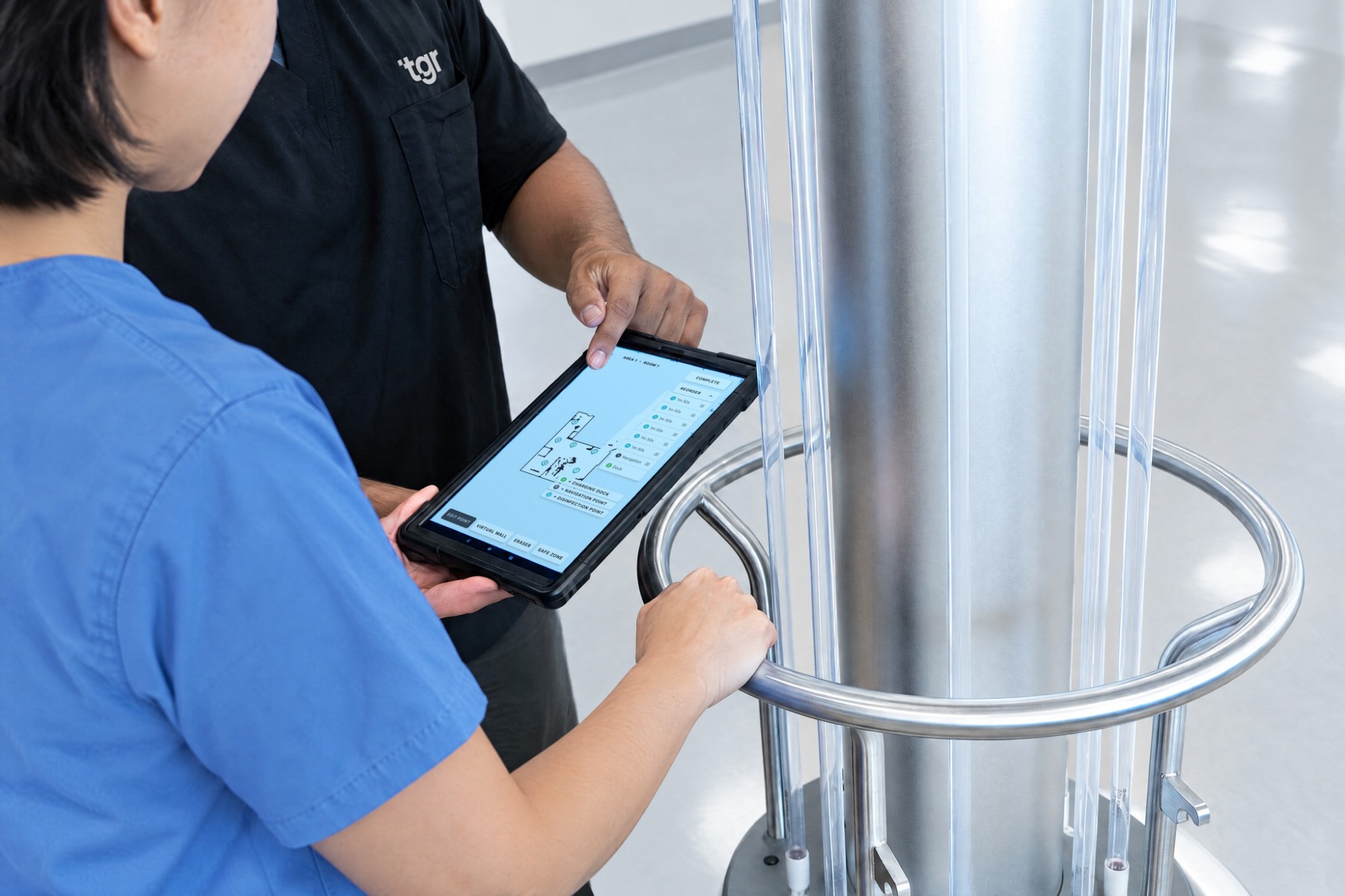
Implementation
Every purchase includes implementation: our Customer Experience team maps a rollout plan and completes on-site setup, so the A1 is operational from day one.
Ongoing support
Tickets are resolved within one business day while loaners are deployed within two. Scheduled lamp replacements, preventative check-ins, and five years of coverage (one free year of limited warranty plus four years of extended coverage) keep every unit running at full output.
Reporting with ADIS
Generate reports on demand and receive monthly usage reports by email. Keep operations and oversight teams informed between reviews.
Explore ADIS reportingA1 specifications.
| Dimensions (H × W × D) | ~173 × 56 × 61 cm (68 × 22 × 24 in) |
|---|---|
| Weight | 78.9 kg / 174 lb |
| Minimum passage width | ~71 cm (28 in) |
| Door thresholds | Up to 12.7 mm (0.5 in) |
| Manual push force | 84.5 N / 19 lbf |
| Mapping | SLAM |
|---|---|
| LiDAR | Dual LiDAR |
| Depth & infrared | Time-of-flight (ToF) and infrared (IR) |
| Additional sensing | Ultrasonic and bumper |
| Motion sensing | Passive infrared (PIR) sensors |
|---|---|
| Safety sign | Motion-sensing sign |
| Emergency control | Emergency-stop button |
| Indicators | Audible alerts and halo light |
| Wireless | Bluetooth and Wi-Fi; optional 4G LTE |
|---|---|
| Local operation | No internet required for primary operation |
| Wavelength | 254 nm |
|---|---|
| Lamp configuration | 8 upper, 8 lower shatterproof lamps |
| Runtime | ~8 hours; varies with use |
|---|---|
| Charging time | ~4 hours |
| Charging dock | 100–240 V |
A1 questions.
Answered.
What are the A1 ADIBOT’s three operating modes?
The A1 has three operating modes: Use Map, AI Auto Explore, and On-the-Spot.
Use Map: Operators set disinfection points in a pre-mapped room. The A1 autonomously navigates between those points, adjusting its route in real time.
AI Auto Explore: The A1 scans the room, creates a map, and selects evenly distributed disinfection points based on the grid setting and room size.
On-the-Spot: The A1 stays in one position for a focused, single disinfection cycle, similar to a stationary UV-C device.
How long does the A1 take to disinfect a room?
In a 23 m² (250 ft²) room, the A1 averages about 13 minutes to deliver 100 mJ/cm², a UV-C dose sufficient for a 4-log reduction of C. diff. On a full charge, it covers up to about 36 rooms of that size.
Time varies with room size and layout, the number of disinfection points, the target organism, and the reduction goal. Talk to TGR with a floor plan to get an estimate for your own rooms.
How is the A1 different from a stationary UV-C device?
A stationary UV-C device treats a room from one position at a time. To cover the room, someone has to come back after each cycle to move it, find an outlet, and start it again. The A1 runs the room’s saved program on its own: it drives to each disinfection point in sequence, applies the exposure set for that point, and moves on. Once the cycle starts, nobody needs to stay with it.
Treating from several positions also changes the angles and distances to surfaces, which reduces how much of the room stays in shadow. See the animation: stationary device vs. autonomous A1.
How does UV-C disinfection work, and is it safe?
The A1 uses 254 nm UV-C light to damage the DNA or RNA of microorganisms, preventing replication. Disinfection depends on the delivered dose, exposure time, distance, and whether light reaches the surface.
UV-C must only be used in unoccupied spaces. Direct exposure can injure the eyes and skin. The A1 includes motion sensors, a smart safety sign, and an emergency stop to help prevent accidental exposure. Follow product instructions and facility access-control procedures; safety features do not replace them.
How does ADIS track the A1’s disinfection tasks and reporting?
ADIS, the Autonomous Deployment Information System, is included with every A1 at no extra cost. It allows operators to remotely manage and track disinfection tasks, review activity logs, and generate reports.
Reports include operating time, cycle completion, and activity by area, robot, operating mode, and operator. These records support operational review and accountability; they do not measure surface dose or microbial reduction.
Does the A1 need internet connectivity to operate?
No. The A1 can run disinfection tasks offline. Its tablet connects to the robot through internal Wi-Fi, and task data is stored locally on the robot. Remote ADIS functions require connectivity.
What training is included with the A1?
Every A1 purchase includes initial setup, up to 16 hours of on-site training, operator certifications, and access to the complimentary Resource Portal.
The Resource Portal offers self-paced courses to help staff learn operation and integrate the A1 into existing disinfection procedures.
How long do the A1’s UV-C lamps last, and when should they be replaced?
The A1’s UV-C lamps are rated for 16,000 hours. The replacement schedule may vary with usage patterns. Follow the product maintenance instructions and coordinate lamp replacement with TGR support.
How do I get support for my A1 robot?
The Customer Experience team is your first point of contact for technical assistance and on-site product training.
In the United States, if the team is unavailable, a TGR-certified technician will be dispatched within 48 hours. Spare units are also available through the loaner program when needed.
Contact the Customer Experience team for assistance with your A1.
What warranty comes with the A1?
Every A1 includes five years of coverage, starting with a free one-year limited warranty followed by four years of extended coverage.